Free · uses your microphone
Free online guitar tuner
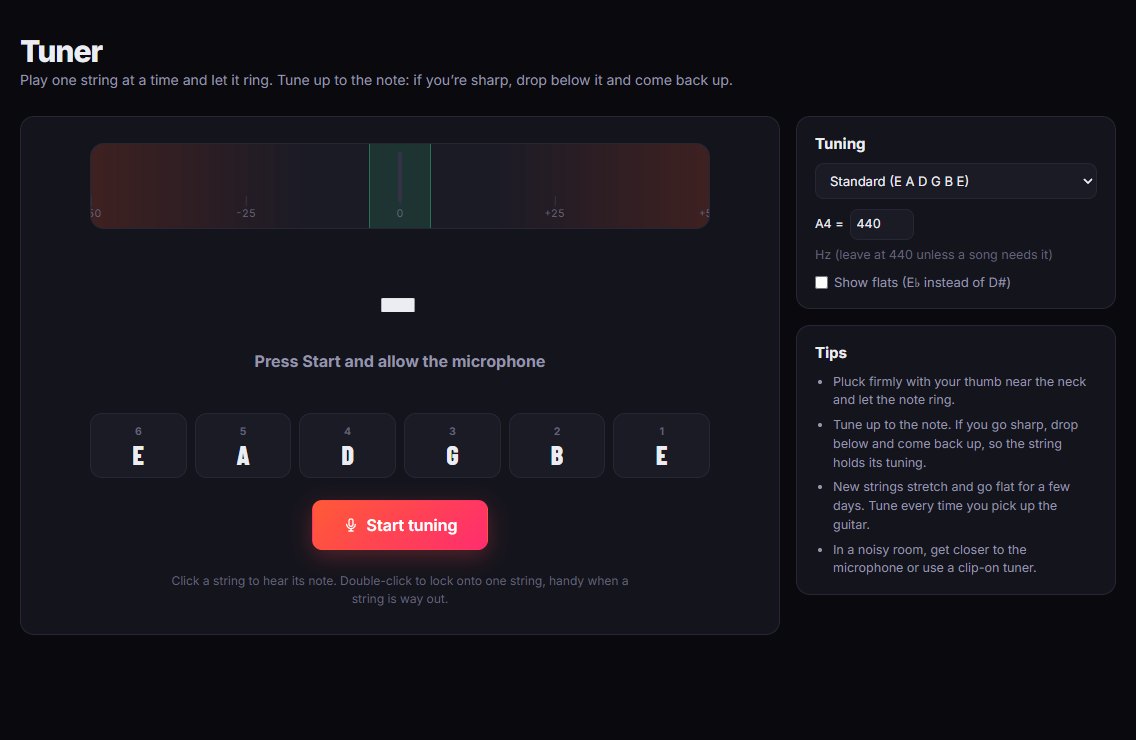
Play a string and the tuner shows the note and how far sharp or flat you are. It listens through your microphone, works in standard and alternate tunings, and plays each string’s note so you can tune by ear too.
A tuner that just works
No app to install. Open it, allow the microphone, and tune.
Tunes by microphone
Play one string and let it ring. The needle shows how many cents sharp or flat you are, and turns green when you’re in tune.
Eight tunings
Standard, Drop D, half step down, whole step down (D standard), Drop C, DADGAD, open G and open D.
Hear each string
Click a string to hear its note. Handy for tuning by ear, or checking a string that is far out.
Lock to one string
Double-click a string to lock the tuner onto it, so it doesn’t jump to another note while you turn the peg.
Adjustable pitch
Leave A at 440 Hz, or change it to match a recording or another instrument.
Sharps or flats
Show E♭ instead of D♯ if that’s how you think about half step down.
Tips for tuning a guitar
- Tune up to the note. If you go sharp, drop below the note and come back up. The string holds its tuning better.
- Pluck firmly with your thumb near the neck and let the note ring, rather than strumming.
- New strings stretch and go flat for a few days, so tune every time you pick the guitar up.
- In a noisy room, get closer to the microphone, or use a clip-on tuner.
The sound from your microphone is analysed in your browser. It isn’t recorded or sent anywhere.
How to get started
Tuning six strings takes about a minute.
- Open the tunerPick your tuning. Standard (E A D G B E) is already selected.
- Allow the microphonePress Start tuning and let your browser use the microphone.
- Play one string at a timeTurn the peg until the needle sits in the middle and goes green.
Questions
The things people ask before trying it.
How do I tune my guitar with the microphone?
Open the tuner, press Start tuning and allow the microphone. Play one string at a time and turn its tuning peg until the needle is in the middle and turns green.
Is my microphone recorded?
No. The sound is analysed in your browser to find the pitch. Nothing is recorded or uploaded.
Can I tune to Drop D or other tunings?
Yes: Drop D, half step down, whole step down (D standard), Drop C, DADGAD, open G and open D, as well as standard tuning.
Does it work on iPhone and Android?
Yes. It works in your phone’s browser. Allow the microphone when it asks.
Why does the tuner jump between notes?
It’s usually other strings ringing or background noise. Mute the other strings, pluck firmly, or double-click a string to lock the tuner onto it.
Is it free?
Yes, the tuner and every other Fretwork tool are free, with no adverts.
More free guitar tools
Everything in Fretwork is free and works in the same place, so your practice adds up.
In tune in a minute
Open the tuner, allow the microphone and play your low E string.
Tune my guitar