Free · runs in your browser
Free fretboard trainer
Learn where every note lives on the guitar neck, a few minutes at a time. Short rounds, instant feedback, and a learn path that takes you through the neck one string at a time.
Six ways to learn the neck
Start with the learn path, then mix the drills. Every mode works with the fret range, strings and notes you choose.
Learn path
Eleven short stages, starting with the open strings and adding one string at a time. Get 10 of 12 right first time to unlock the next stage.
Name the note
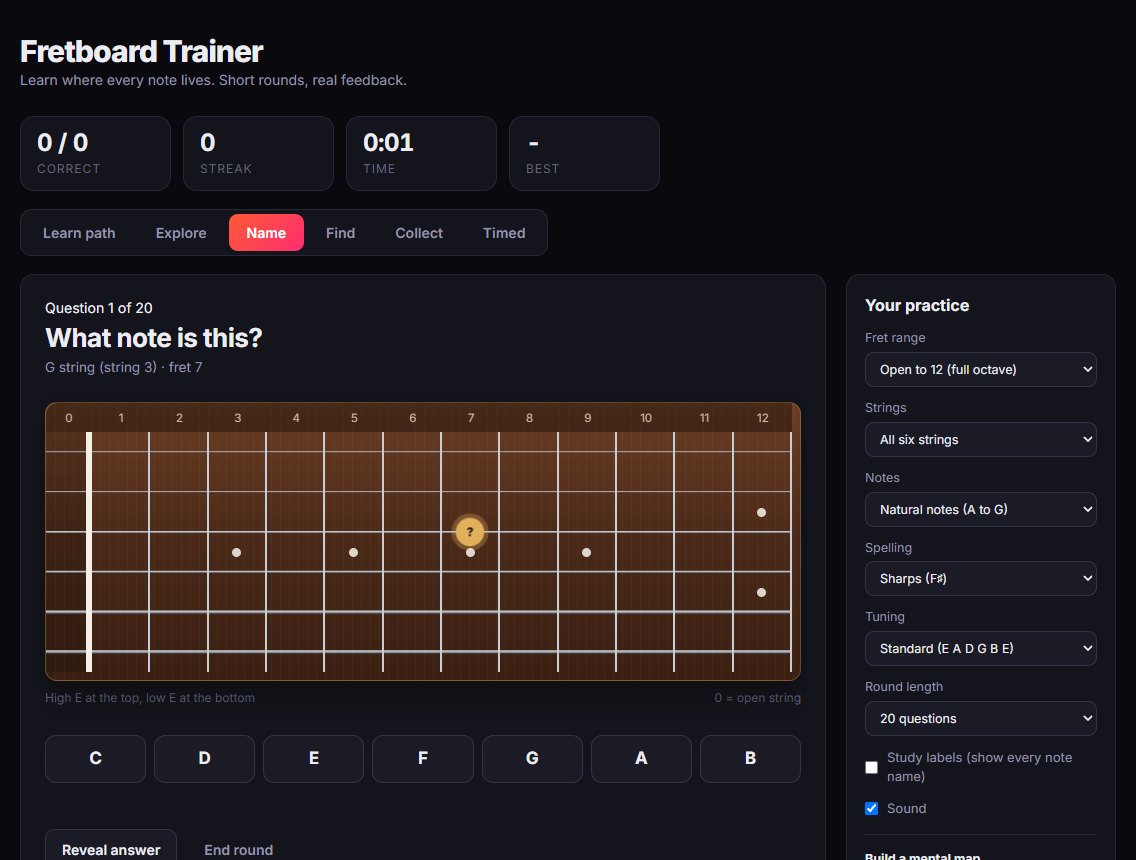
A spot lights up on the neck and you name it. A wrong first answer gets a hint and a second try; a second miss shows you the answer.
Find the note
Fretwork names a note and a string, and you tap the right fret. It’s the skill you use when reading tab or working out a riff.
Collect
Find every copy of a note across the neck. The fastest way to see the patterns that repeat every 12 frets.
Timed
Race the clock. Correct answers in a row score extra, so you build speed as well as accuracy. Your best score is kept.
Explore
Tap any fret to hear it and get a memory hint, like “fret 5 is the same note as the next open string”.
Why learning the fretboard pays off
Knowing the notes on the neck turns shapes into music you understand. It makes barre chords easy to move (the root note on the low E or A string tells you the chord), helps you find scales in any key, and makes tab and lessons quicker to follow because you know where you are.
Most players learn it in small pieces: the natural notes on the low E and A strings first, then the rest. That’s exactly how the learn path is built. Short daily rounds work better than one long session, so a round is 10, 20 or 40 questions.
- Your choice of range: open to 5th fret, to 12th, or the whole neck.
- Strings: all six, or focus on one or two.
- Notes: natural notes only, or sharps and flats too, spelled your way.
- Tunings: standard, Drop D, Drop C and half step down.
- Study labels show every note name while you get started.
How to get started
It takes about a minute, and you can try everything before deciding whether you want an account.
- Open the trainerIt runs in your web browser on a computer, tablet or phone. Nothing to install.
- Start stage 1The learn path begins with the six open strings. Pass it and the low E string unlocks.
- Come back for five minutesA round a day adds up fast. Create a free account when you want Fretwork to remember your progress.
Questions
The things people ask before trying it.
Is the fretboard trainer really free?
Yes. The fretboard trainer and every other tool in Fretwork are free to use, with no adverts.
Do I need an account?
No. You can use it straight away as a guest. Your scores and progress are only kept once you create a free account.
How long does it take to learn the fretboard?
It varies, but a few minutes a day goes a long way. Many people learn the natural notes on one string in a few short sessions, and work through the neck to the 12th fret over a few weeks.
Does it work in Drop D or other tunings?
Yes. You can practise in standard tuning, Drop D, Drop C or half step down, and the hints name the open strings by their real pitch.
Does it work on my phone?
Yes. It works in your phone’s browser, and you can add Fretwork to your home screen so it opens like an app.
Which notes should I learn first?
Start with the natural notes (A to G) on the low E and A strings. Those are the root notes of most barre and power chords, so they’re useful straight away.
More free guitar tools
Everything in Fretwork is free and works in the same place, so your practice adds up.
Learn the neck, one string at a time
Open the trainer and try stage 1. It takes about two minutes.
Start the fretboard trainer